

Super Bear Adventure Multiplayer is out now, and fans are excited to play with friends. The new multiplayer mode lets you explore the game together, which makes it more fun. Before, players could only play alone, but now they can join others online.
In this guide, we will explain when it was released and how the multiplayer works. This will help you understand the new features and enjoy the game even more.
Is Super Bear Adventure Multiplayer Out?
Yes! The multiplayer update for Super Bear Adventure is finally here. It was released on July 2, 2025, at 4:03 PM Eastern European Summer Time. This came 1 year, 1 month, 1 week, and 1 day after the teaser trailer for the update was first shown.
The update is called version 12.0.0 and is also known as the multiplayer update. Now, players can join friends online and enjoy the game together, which makes exploring the world even more exciting.
What Are the Key Features of Super Bear Adventure Multiplayer?
The multiplayer update (v12.0) brings many exciting features that players have been asking for. One of the biggest additions is cross-platform co-op, which allows up to 4 players to play together on Android, iOS, and Switch.
Here are the main features:
- Co-op Mechanics: Players can team up to explore, fight, and enjoy the game together.
- Networking & Social: A network machine in Bear Village helps players connect. Party settings let you toggle damage between players and even disable collisions.
- Vehicles & Interaction: Vehicles now carry multiple passengers, making it easier to move around with friends.
- Content Additions: New skins, like robot and themed outfits, are now available.
- Performance: The game is smoother, but some users noticed that controls and camera angles can still be tricky on mobile.
- Cross-Platform Play: Players on different devices can join together seamlessly.
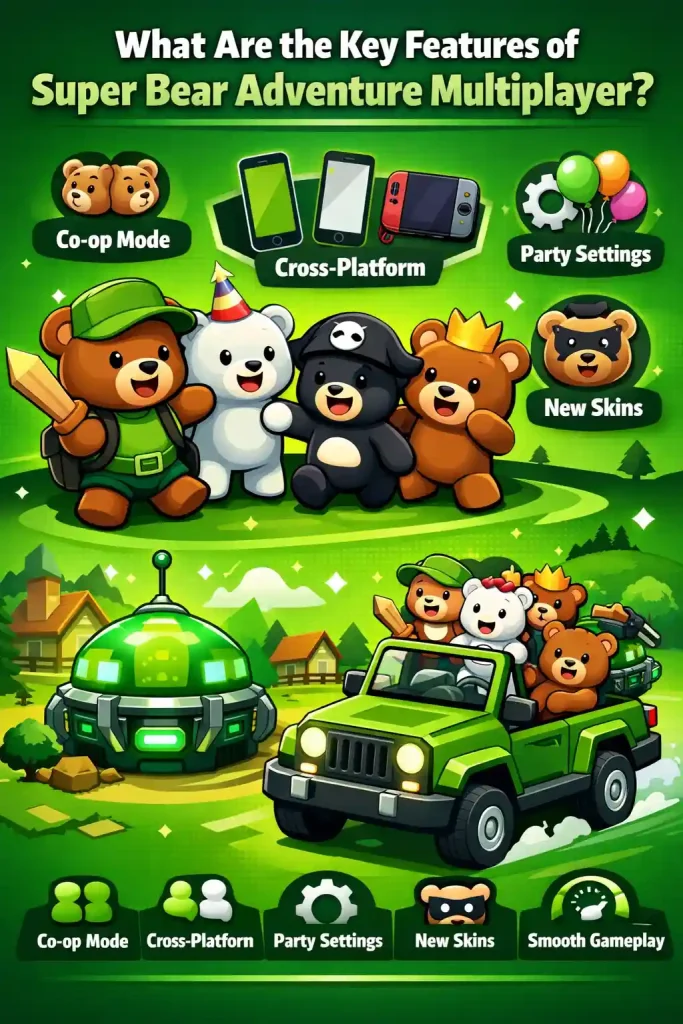
This update makes playing with friends more fun and adds lots of ways to interact and explore together.
What’s New in Super Bear Adventure Multiplayer?
Multiplayer mode makes the game more exciting than playing alone. You can now play online with friends, chat, and enjoy the game together. In the latest update, the developers also fixed small bugs, like the muscle car not spawning, which makes the game smoother and more stable.
Earlier, the developers asked players whether they wanted local or online multiplayer. Most players chose online multiplayer, so it was added in the beta version for Android first. This Super Bear Adventure multiplayer update shows that the developers are working hard to improve the game and make it more fun for everyone. But if you are one of those who love to play the old version of SBA, can download from our website.
How Do You Join Multiplayer Mode in Super Bear Adventure?
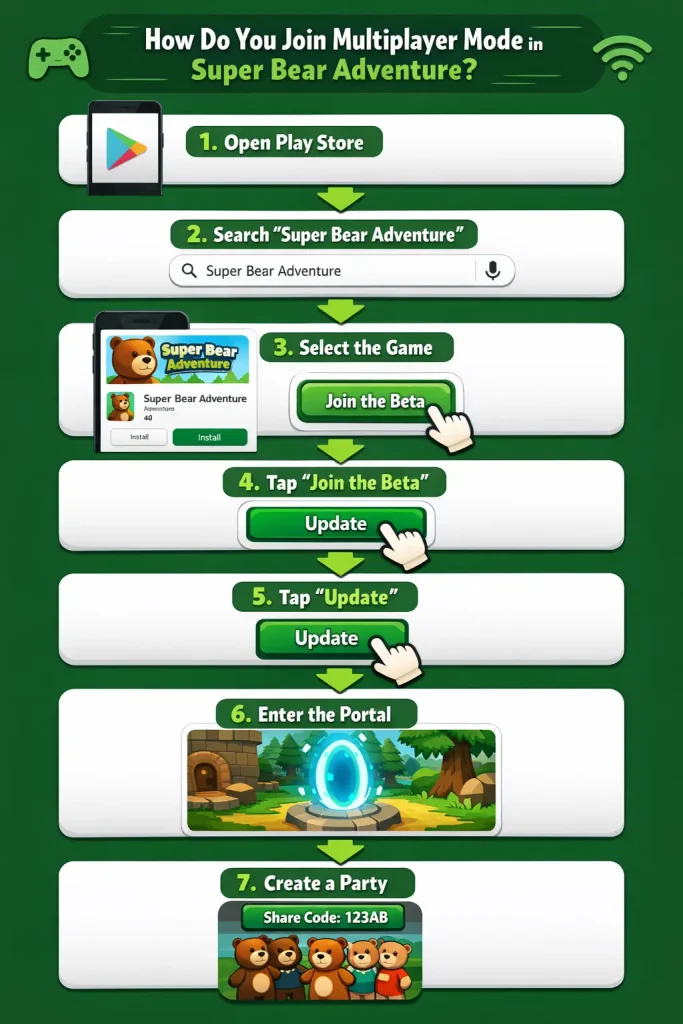
The multiplayer feature is now available in early access for Android users. To join, you need to sign up for the public beta on the Google Play Store.
Here’s how to do it:
- Open the Google Play Store on your Android device.
- Search for Super Bear Adventure.
- Go to the game’s official page.
- Scroll down and click “Join the beta”.
- After joining, tap Update the app.
- Once the update finishes, open the game, go to the map, and find the teleport location.
- Click “Create Party” and share the code with your friends to start playing together.
Now, you’re ready to enjoy multiplayer and explore the game with friends!
What’s New in the Super Bear Adventure Beta Version 12.0?
The new beta version 12.0 of Super Bear Adventure brings several updates. The biggest change is online multiplayer support, which lets you play with friends. Some other fixes and improvements include:
- Temporary removal of leaderboards.
- The desert syncing bug has been fixed.
- Two bonus levels added.
- Improved egg positions in egg hunt missions.
These updates make the game smoother and more fun, but some small bugs may still appear. If you face any problems, you can contact the developers via email or the official Discord server. Moreover, you can download this latest SBA version from here.
How Does Cross-Platform Play Work in Super Bear Adventure?
The multiplayer update allows players on Android, iOS, and Switch to play together. This means you can team up with friends even if they use different devices. To join a cross-platform game, everyone needs the latest version 12.0 and an active internet connection.
Some special features and limitations:
- Party Settings: You can adjust damage between players and disable collisions, no matter what device you use.
- Controls & Performance: Mobile devices may have slightly trickier controls or camera angles compared to the Switch.
- Content Access: All skins, vehicles, and bonus levels are available across platforms.
- Joining Friends: Use the party code to connect with friends on any supported device.
Cross-platform play makes the game more fun because you don’t have to worry about what device your friends have.
Single-Player vs Multiplayer: What’s the Difference?
Here’s a simple comparison to show how multiplayer changes the game experience:
| Feature | Single-Player | Multiplayer |
| Players | Only you | Up to 4 players together |
| Fun Factor | Explore alone | Explore with friends, more chaotic and fun |
| Missions | Complete solo | Can team up and finish missions faster |
| Vehicles | Single passenger | Vehicles can carry multiple players |
| Social Interaction | None | Chat, vote on group decisions, share tasks |
| Challenge | Limited | More strategy needed, teamwork required |
Many players enjoy multiplayer more because they can play with friends, share tasks, and experience new challenges that single-player doesn’t offer.
Frequently Asked Questions (FAQs)
Conclusion
The Super Bear Adventure multiplayer update brings a whole new level of fun to the game. You can play with friends, explore together, and enjoy new features like cross-platform co-op and updated vehicles. With smoother gameplay, new skins, and exciting missions, multiplayer makes the game more social, exciting, and full of teamwork challenges than ever before.


